Review and approve requests
When a campaign’s auto-approve rule is set to Manual Review, every submission lands in the Requests queue as a donation request marked Awaiting Decision, waiting for staff to decide.
-
Open Requests and select a request that’s Awaiting Decision.
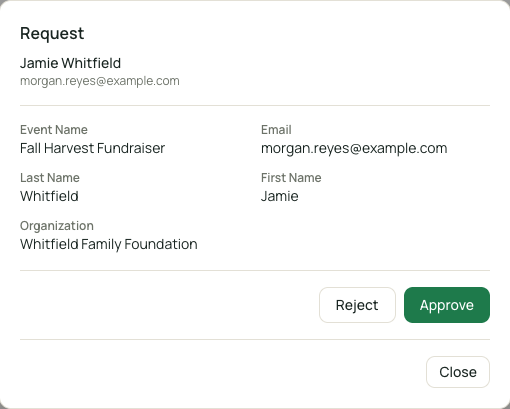
Reviewing a donation request -
Select Approve, then choose:
- An expiration date
- The approved amount
- Which redemption locations the certificate is valid at
- The message to the requester shown alongside their certificate
- An optional internal tag
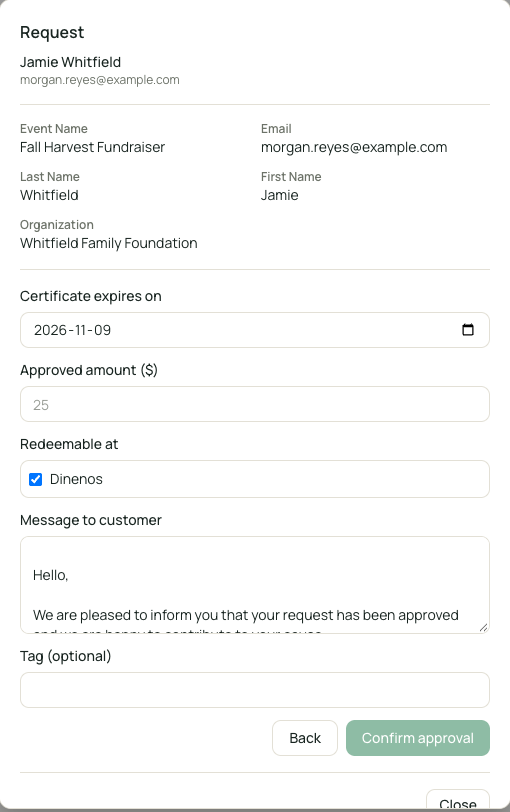
Approving a request -
Confirm Approve. Avantly automatically generates a gift certificate with a PDF and QR code, and emails it to the requester.
-
To decline instead, select Reject and provide a public response/reason. A decline email is sent automatically, unless it’s disabled for this campaign.