Users & permissions
Avantly gives every user permissions scoped to your customer account, so you control exactly what each team member can see and do.
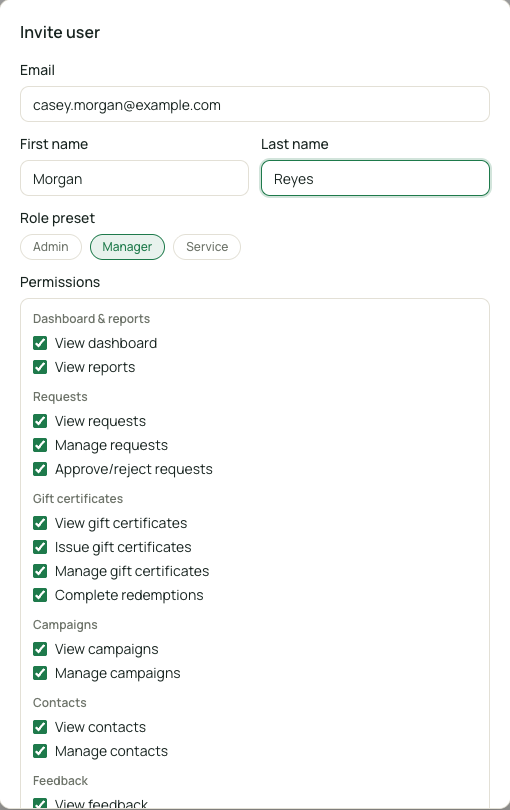
Per-customer permissions
Section titled “Per-customer permissions”Users get permissions scoped to one customer account, covering view/manage rights over: dashboard, requests, contacts, reports, campaigns, locations, settings, API keys, redemptions, and certificates.
When adding a user, Avantly offers three quick-fill presets:
| Preset | Typical use | Access |
|---|---|---|
| Admin | Owners, general managers | Full access to everything on the account |
| Manager | Shift managers, marketing | Broad access, but not settings, location management, or API keys |
| Service | Front-line staff | Redemptions, issuing certificates, deciding on requests — no contact or campaign management |
You can also assign permissions individually instead of using a preset, for finer-grained control.
In a parent-child setup, permissions granted on a parent customer can extend to its child locations.