Redeem a certificate
Use this flow at the point of sale when a customer presents a gift certificate.
-
Open Redeem and enter or scan the certificate code.
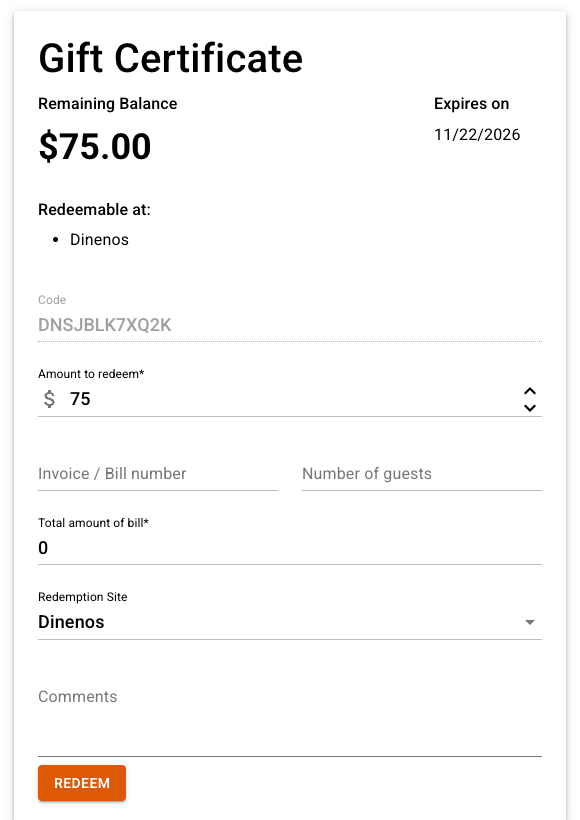
Looking up a certificate code -
Avantly looks the code up and shows the remaining amount, its validity window, and which of your locations you’re permitted to redeem it at.
-
Enter the redemption details:
- The amount being applied
- The total bill amount
- An optional discount amount
- An optional invoice number
- Number of guests
- An optional comment
- Which location is redeeming it
-
Confirm the redemption. Avantly records who authorized it and when, and updates the certificate’s remaining balance.
If the campaign allows partial redemption, the certificate keeps any remaining balance for future visits. Otherwise, it’s now fully used.