Issue a certificate manually
Sometimes you want to issue a certificate without a public form submission behind it — a phone request, a walk-in, or a one-off gesture. Avantly lets staff issue these directly.
-
Open Certificates and select Issue Certificate.
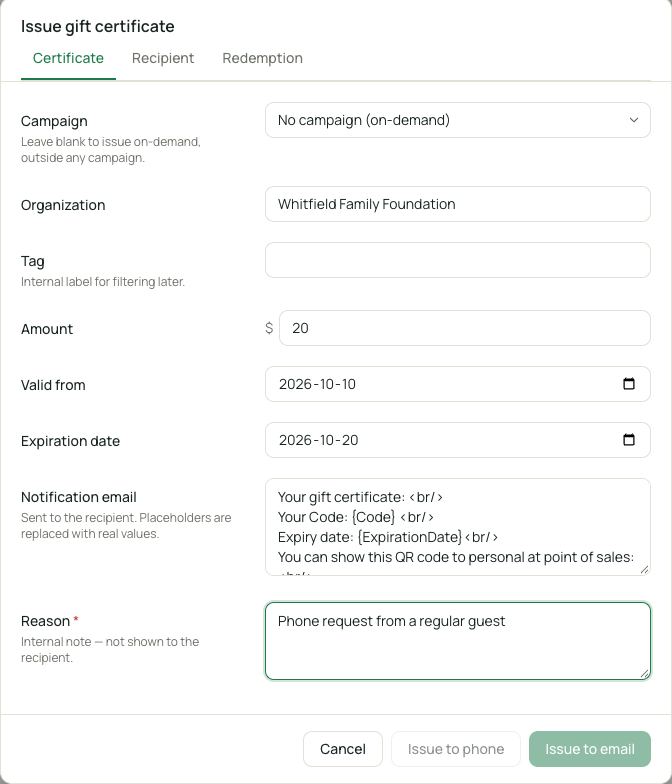
Issuing a certificate manually -
Choose which Campaign the certificate belongs to, and optionally an organization and internal tag.
-
Enter the recipient’s first name, last name, and email (phone number is optional).
-
Set the amount, the valid-from date, and the expiration date.
-
Under Internal, enter a reason — this is required and only visible to staff.
-
Under Redemption, choose whether to allow multiple redemptions (draws down a balance) and which locations the certificate can be redeemed at.
-
Select Issue. The certificate is created and emailed to the recipient using the notification email text shown in the dialog.