Donation requests
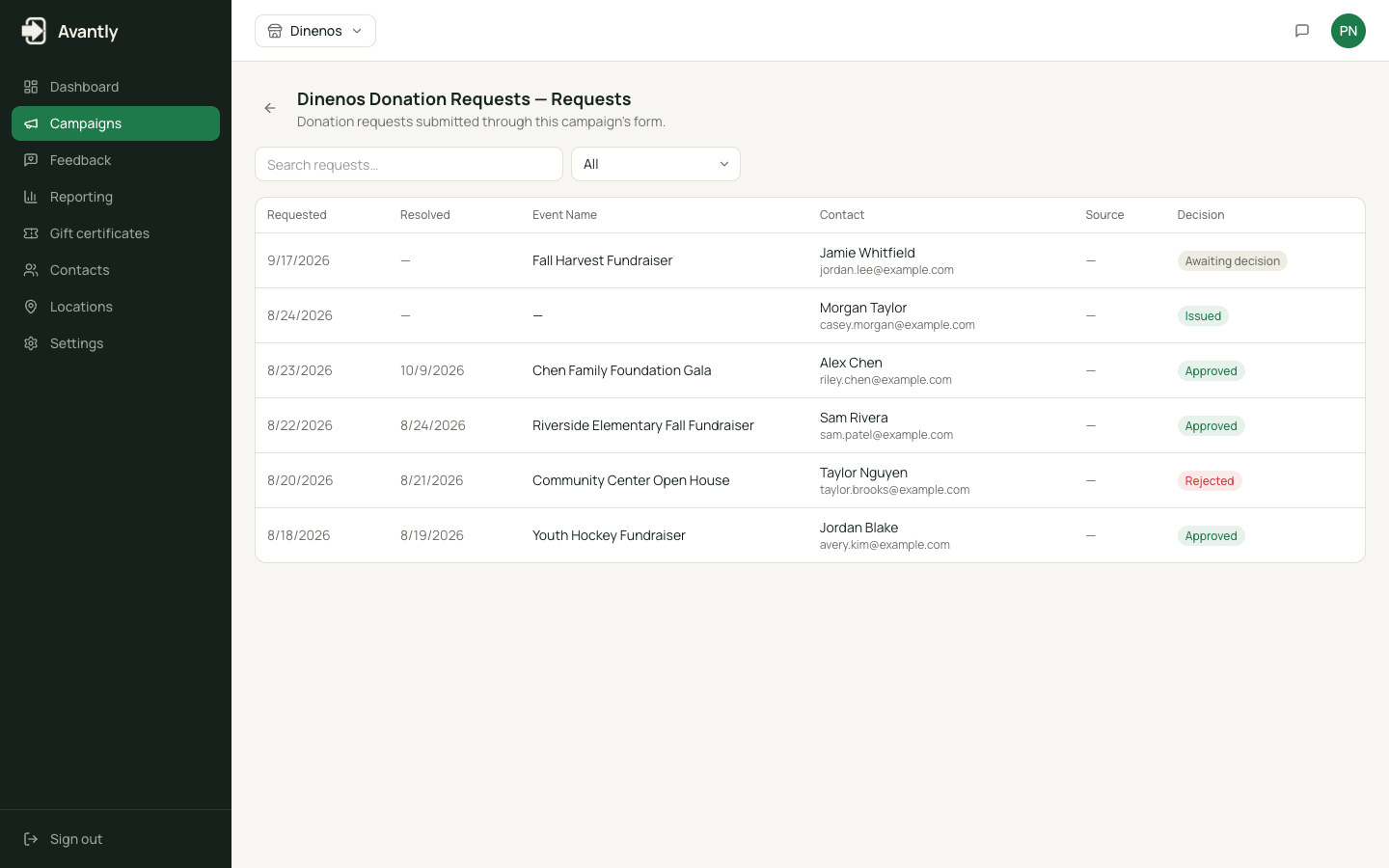
A donation request is created every time someone submits a campaign’s donation form. It’s the record staff review before a gift certificate is issued.
Statuses
Section titled “Statuses”| Status | Meaning |
|---|---|
| Awaiting Decision | Submitted and waiting for staff review |
| Approved | Staff approved it — a certificate has been generated |
| Rejected | Staff declined it |
If a campaign’s auto-approve rule is set to Auto Approve or Auto Reject, a request moves straight to Approved or Rejected automatically — no staff action needed.
What happens on approval
Section titled “What happens on approval”Staff choose an approved amount, an expiration date, a public response message shown to the requester, an optional internal tag, and which redemption locations the certificate is valid at. Approving a request:
- Generates a gift certificate with a unique code, PDF, and QR code.
- Emails the certificate to the requester.
What happens on rejection
Section titled “What happens on rejection”Staff provide a public response/reason. A decline email is sent to the requester automatically, unless that email is disabled for the campaign.
Related
Section titled “Related”- Review and approve requests
- Campaigns — where the auto-approve rule lives
- Gift certificates